Yoo fellow coders and productivity gremlins! Marc here 😜
Pure dev diary vibes today. I want to introduce my new little buddy: Pawly — a native macOS desktop pet that babysits your coding agent so you don’t have to keep staring at a terminal.
Here’s the itch I was scratching. When you let an AI agent loose on your code, it goes off and does a hundred things — reading files, grepping, running commands, compacting context — and you’re stuck either watching a wall of scrolling terminal text or tabbing away and losing all sense of what it’s actually doing. I wanted to feel what my agent was up to without babysitting a black rectangle. So, classic Marc move: nobody made it, so I built it myself.
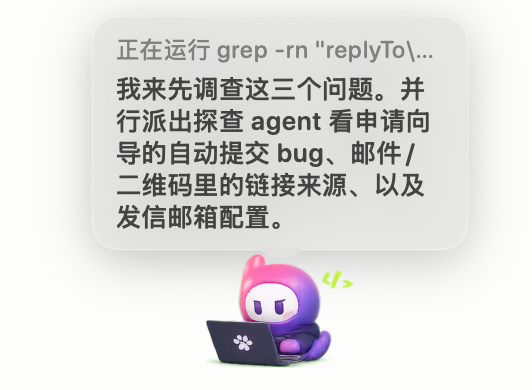
Your agent, out loud:
Pawly floats on your desktop and narrates what the agent is doing — "running grep…", "reading config.json…" — in a clean little speech bubble, with a tiny activity label above it.
The whole concept is simple: Pawly sits on top of everything as a floating companion, and whenever your agent does something, Pawly says it out loud in a bubble. Reading a file, firing off a command, pausing to ask for permission, squeezing the context window — it’s all right there in your eyeline. No tab switching, no terminal squinting. You just glance at the little guy and you know.

A few of my favorite bits I’m low-key proud of:
It’s actually a pet, not just a status bar
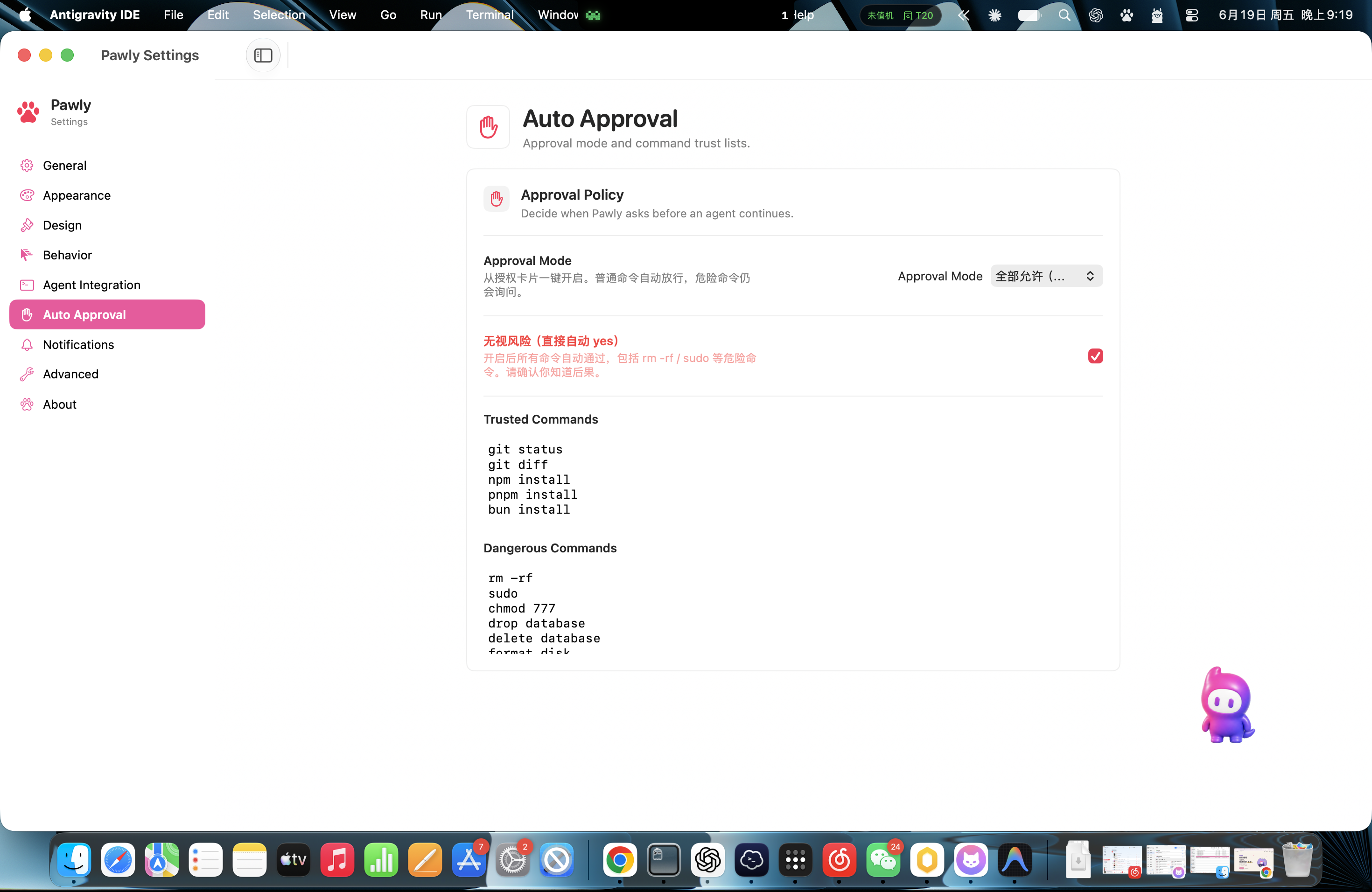
Pawly has poses and moods, and you can totally make it yours. Swap the pet art for a custom image, import a whole pose pack, scale it up or down — whatever fits your desktop. There’s a Compact bubble style for when you want it chill, an activity label toggle, and a provider chip for when you’re running multiple agents at once and need to know who’s talking.
Bilingual brain (optional)
Since a lot of agents think out loud in English, I added an optional Chinese smart-summary mode — it uses Claude Haiku to compress the agent’s English output into one clean Chinese sentence in the bubble. Bring your own Anthropic API key (stored locally in the macOS Keychain, never anywhere else), flip it on, and Pawly speaks your language. Turn it off and it just shows the raw text.
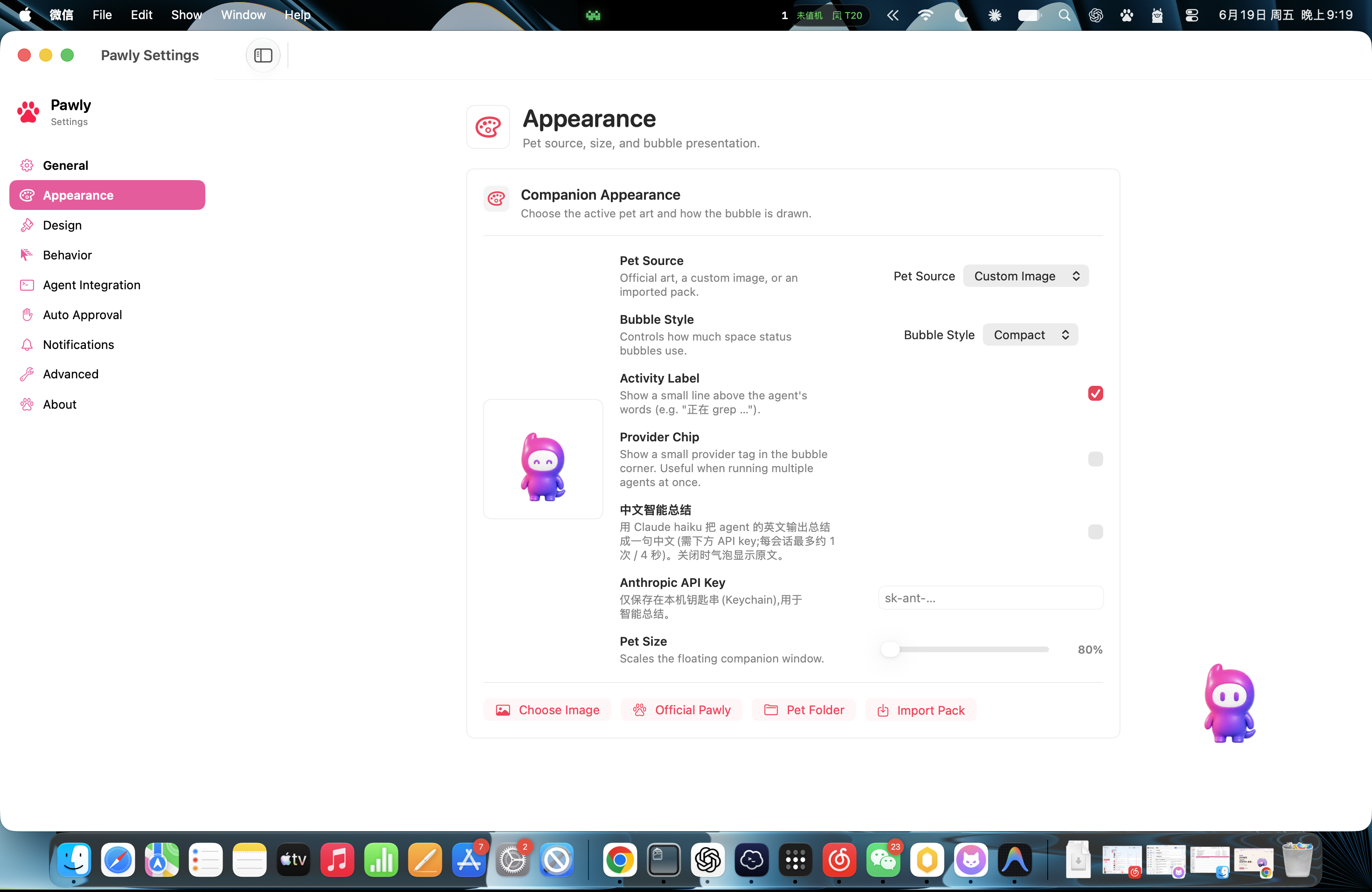
You decide how much rope the agent gets
This one matters. Pawly has an Auto Approval panel where you set the trust rules. Keep safe stuff like git status, git diff, and npm install on a trusted list that runs without nagging you, while genuinely scary commands — rm -rf, sudo, drop database, format disk — always stop and ask first. And yeah, there’s a big red “ignore all risk, just auto-yes everything” switch for the brave (or the reckless). It warns you. Loudly. Please know what you’re doing 😅.
Under the hood it’s a proper native macOS app (macOS 14+), so it’s light, smooth, and doesn’t eat your RAM like a browser-wrapped thing would. Installation is the usual drag-and-drop: open the dmg, drag Pawly into Applications, done. No dependency hell, no terminal gymnastics.
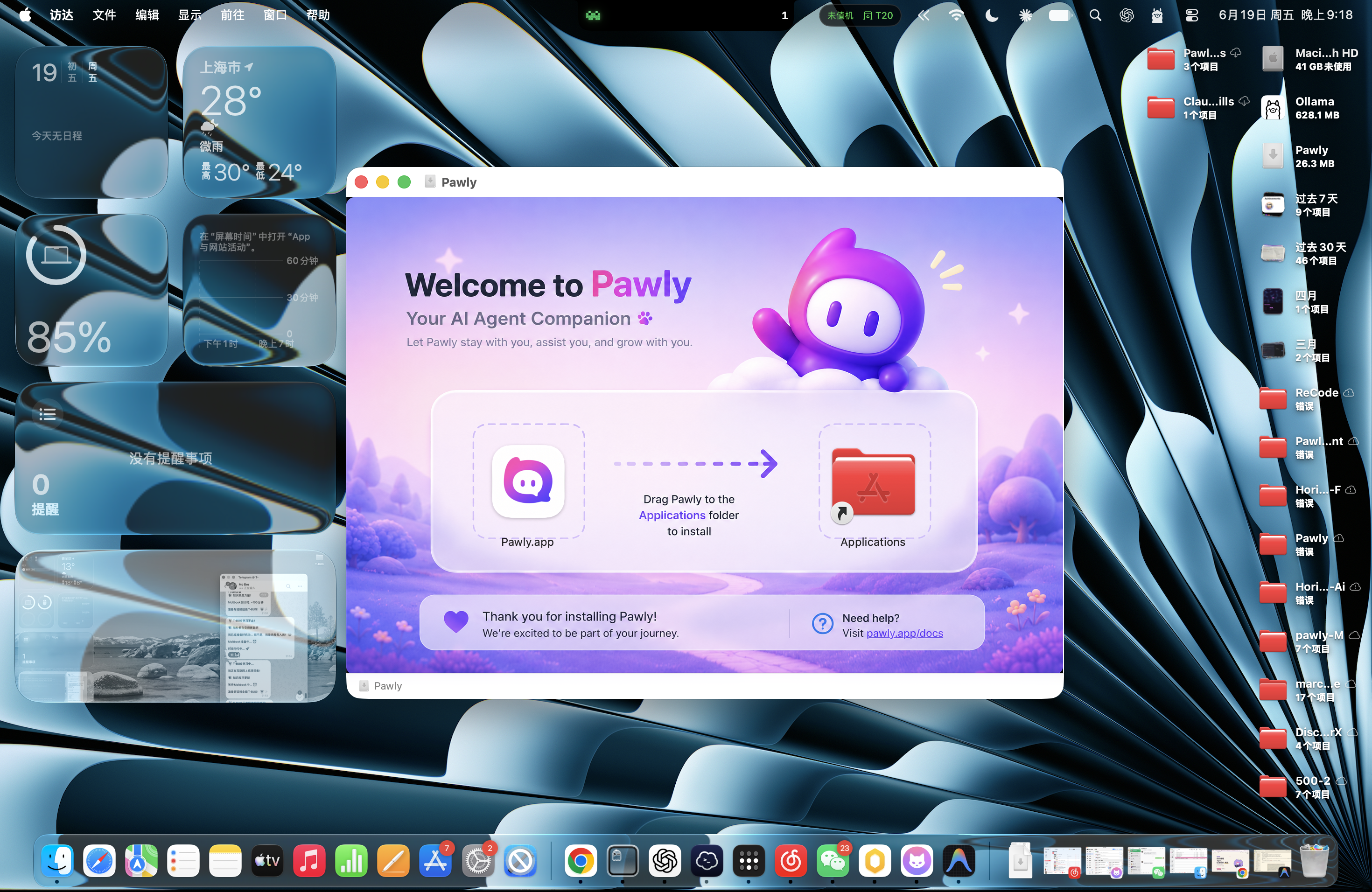
Drag, drop, done:
Open the dmg, drag Pawly to Applications, and your new coding companion is ready to move in.
Obligatory dev blooper: I spent way too long tuning the speech-bubble timing. At first Pawly would fire a new bubble for every micro-event, so it basically had a panic attack and spammed twenty messages a second during a big grep. Watching my cute little pet have a seizure was both hilarious and deeply concerning. A debounce later, it’s calm and chatty in the good way.
Real talk: Pawly was never meant to be some serious enterprise tool. I just wanted coding with an agent to feel a little more alive and a lot less blind. Sometimes the best tools are the ones that just keep you company while the robot does the work.
If you code with agents on a Mac, give Pawly a home on your desktop. If you like it, tell your friends; if it annoys you, tell me — feedback is how the little guy grows.
Alright, off to teach Pawly a few new poses 😜. Catch you next time!
Meet Pawly: https://pawly.discorver.club — let the pet watch the agent.